
Here is an overview of the new features included in the latest CISA AERO release, version [29], deployed in production on Monday, 16th February 2026.
AERO troubleshoots CISA Reader App configuration before starting a programming operation, preventing card programming from hanging if the CISA Reader app is not selected.
When writing cards, AERO now displays a MIFARE DESFire image for plants that are Cybersecure-certified.
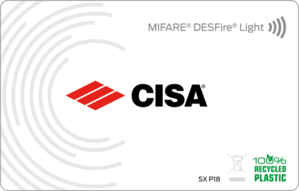
If the plant is not Cybersecure-certified, MIFARE Classic cards remain supported and AERO displays the MIFARE Classic image.
Consult an authorized CISA technician or reseller to verify whether your plant can be upgraded to “Cybersecure” requirements.
The end-user can configure electronic locks to execute automatic operations (Office-on or Lock-out) at scheduled days and times.
Help page link.
With an AERO multi-user subscription, rooms can be marked as “Private” to prevent unauthorized users from creating keys for those rooms.
Help page link.
AERO APIs provide maximum flexibility for partners who want to build their own integrations (PMS, kiosk, building automation, etc.).
AERO DLL allows seamless connection to AERO for partners who already have integrations built on the CISA Legacy DLL.
CISA can send newsletters to partners (integrators or locksmiths) to inform them of relevant changes or updates.
CISA can display multilingual banners (web application warnings) customized for specific users or subscriptions.
When creating a mobile credential, it is possible to set a MOBILE VALIDATION interval (N hours), which requires mobile keys to be revalidated every N hours.